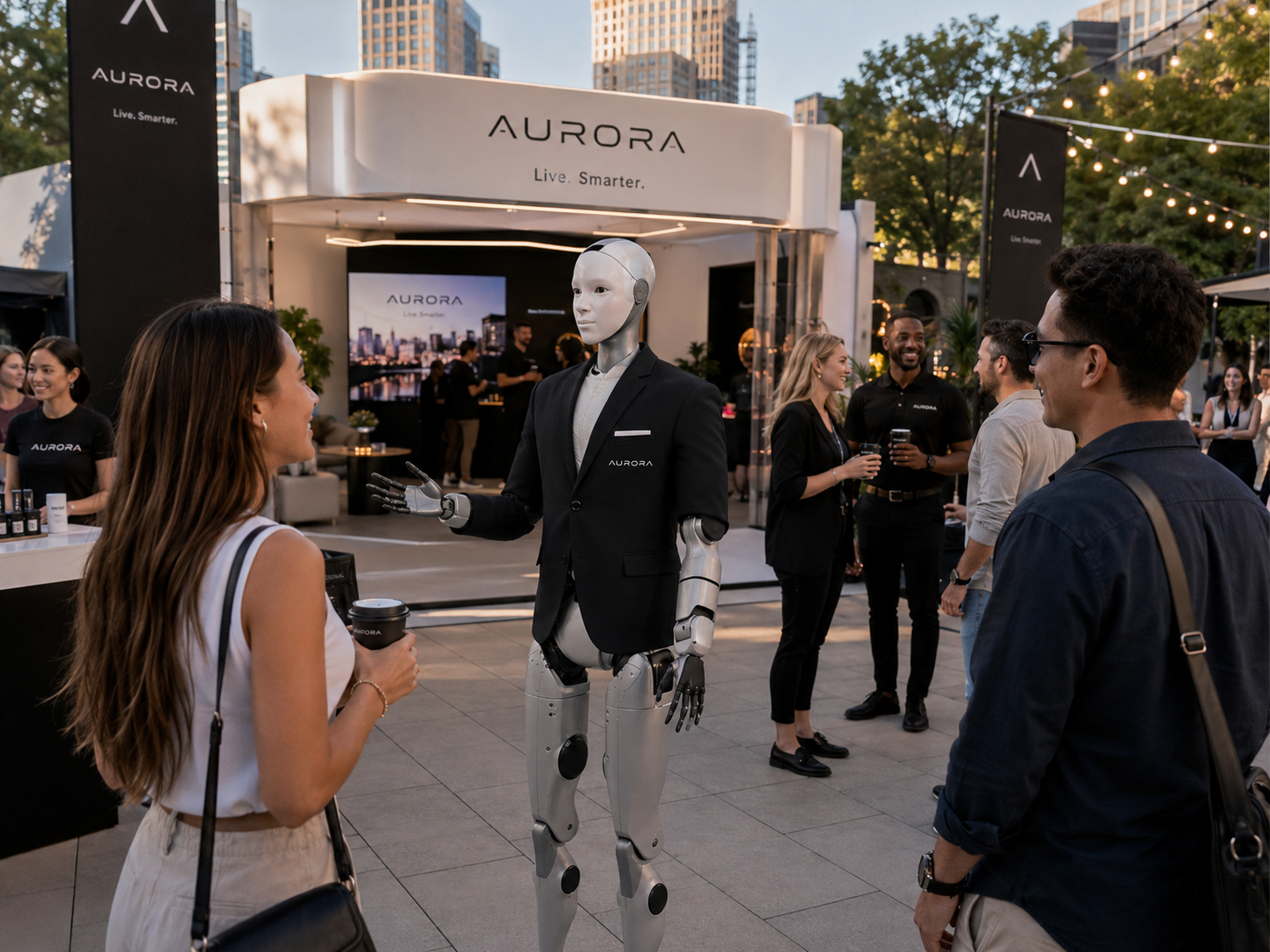
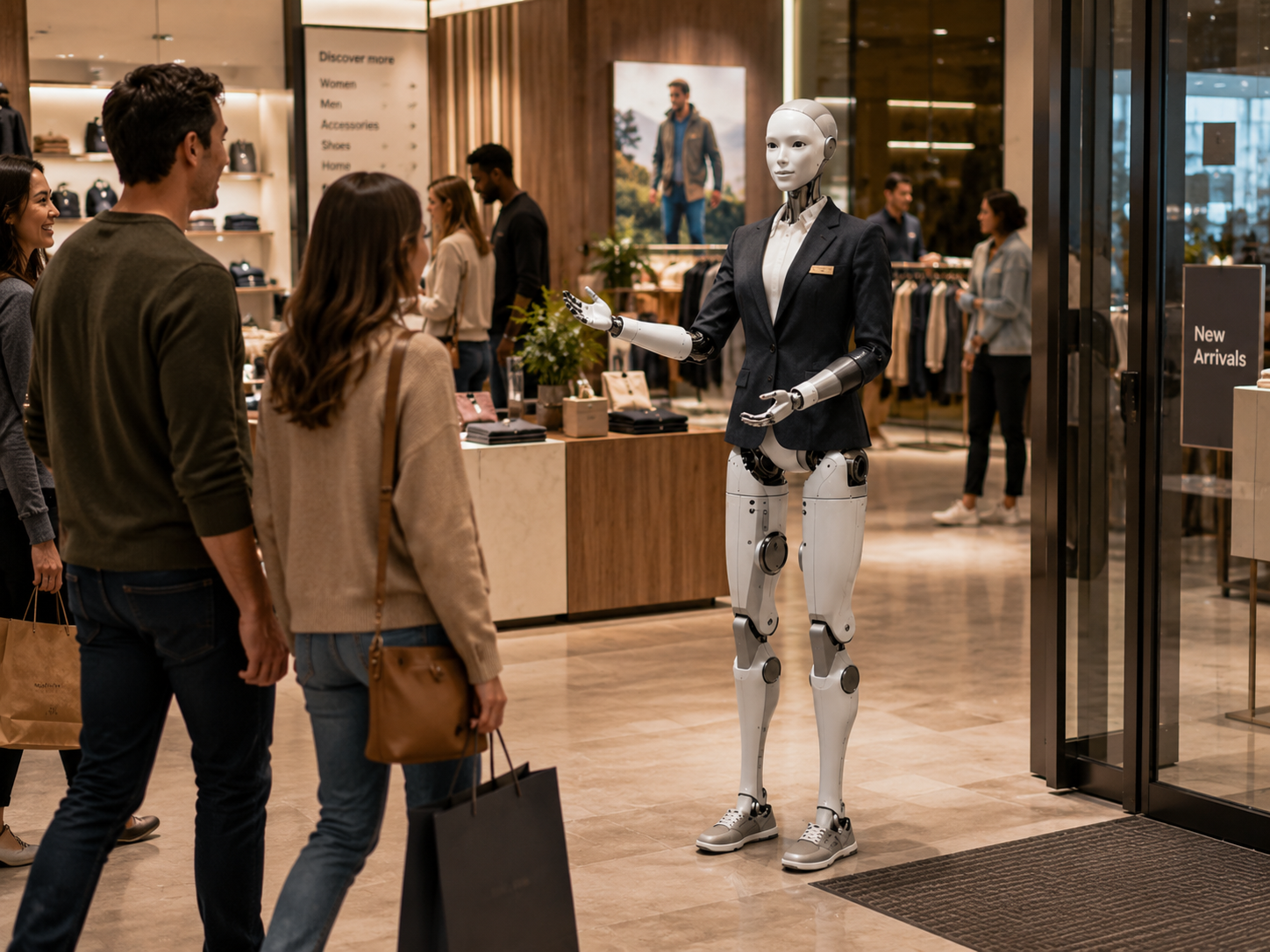
Attention is the invitation. Product discovery is the experience.
A humanoid robot naturally attracts attention — people notice it from across the store, approach, ask questions, and invite friends. The Retail Product Guide is designed to turn that initial curiosity into a useful shopping experience, helping customers find the correct department, discover relevant products, compare options, and reach the right person.
Six capabilities across the customer journey.
Every deployment is customized around the retailer, physical environment, customer journey, product catalogue, brand standards, available systems, robot platform, and pilot objectives.
Greet every shopper with a relevant opening.
The robot greets customers entering the store, approaching a featured display, or visiting a particular department. The greeting may reflect the store name, brand personality, time of day, current campaign, product launch, seasonal event, customer language, and level of formality.
"Welcome to Maison Nord. Are you shopping for something specific today, or would you like to see what is new?"
Help customers describe what they actually need.
Shoppers do not always know the exact product name. They begin with a goal. The robot can ask a small number of approved questions to better understand the need — keeping the interaction useful and brief.
"Will the laptop be used mainly for note-taking and research, creative work, or gaming?"
Provide accurate, approved product information.
The robot can explain a product's primary purpose, key features, available models, materials, dimensions, compatibility, care instructions, warranty overview, energy efficiency, included accessories, typical use cases, current promotions, and where the product is displayed.
Help customers understand meaningful trade-offs.
The robot helps customers understand differences between products across size, features, materials, compatibility, performance category, intended user, warranty, and price range. It explains trade-offs rather than declaring one product universally better.
"Model A is lighter and designed for everyday travel. Model B has a larger battery and additional ports, making it more suitable for extended professional use."
Direct shoppers toward the right department or specialist.
The robot recommends a product category, display, or associate based on the customer's stated preferences and approved business rules. The recommendation is framed as guidance — not a guarantee — with a clear explanation of why the suggestion was made.
"Based on what you described, the lightweight professional collection may be the best place to begin. It is located in the second section on your right."
Involve an associate when expertise matters.
The robot knows when a human employee can provide greater value. It may direct customers toward product specialists, fitting-room employees, customer service, technical support, design consultants, or checkout — and can notify a nearby associate that assistance has been requested.
"That question depends on the installation conditions in your home. A specialist from the appliance department can review it with you."
From a broad need to the right department.
A university laptop search — the robot helps the customer become more informed without making the final purchasing decision.
Shopper approaches
An electronics store customer is unsure which laptop category to explore.
Robot opens
Customer explains the need
Robot asks one clarifying question
Customer clarifies
Robot explains the relevant category
Customer asks about price
Robot provides approved guidance
Robot offers the next step
The customer is more informed without the robot making the final purchasing decision.
Trade-offs explained, not hidden.
The robot presents trade-offs, not verdicts. This is an illustrative example of how a product comparison might be structured — actual product names, prices, ratings, and specifications are never invented.
Illustrative format only. No actual brand names, prices, or ratings.
Three layers of information — each handled differently.
Each layer requires progressively stronger data controls, update processes, and access rules. An initial pilot does not need all three layers to create value.
Reliable for immediate answer. Rarely changes during the deployment.
Requires a current and approved data source to stay accurate.
Requires authentication, minimum-access controls, secure integrations, and an appropriate privacy model.
Every type of shopper has a different starting point.
Product discovery flow
Robot greets the customer and identifies a broad need
Asks one or two useful clarifying questions
Explains the relevant product category
Points toward the correct display or department
Offers to connect with a specialist for further guidance
Best for: customers who know what they need but not which product.
Twelve retail formats. One consistent product-discovery experience.
Flagship stores
A visible and differentiated customer experience with product and brand storytelling.
Electronics retailers
Category discovery, approved comparisons, compatibility questions, and specialist routing.
Automotive showrooms
Introduce vehicles, explain public specifications, compare trims, and support appointments.
Furniture & home design
Styles, materials, dimensions, room categories, consultations, and delivery services.
Beauty & cosmetics
Product-category discovery, approved ingredient information, and beauty-advisor referrals.
Fashion retail
Collections, materials, departments, campaigns, fitting-room locations, and available services.
Sporting goods
Product categories, intended uses, sizing support, and trained associate referrals.
Shopping centres
Store directories, event information, promotions, mall wayfinding, and customer services.
Pop-up stores
Immediate attention, focused campaign communication, and high-volume customer support.
Luxury retail
A restrained, premium, and appointment-oriented experience that suits the store atmosphere.
Telecommunications
Approved plan categories, device features, service options, and associate routing for accounts.
Home improvement
Department guidance, general product categories, and specialist routing for technical questions.
Seven roles across the retail environment.
Each configuration places the robot where it can be most useful — from entrance welcome through department guide to service desk support.
Entrance Product Guide
Positioned near the store entrance to welcome shoppers and identify broad needs.
Featured Product Ambassador
Positioned near a launch, campaign, or selected product display.
Category Guide
Focused on one product department — electronics, appliances, beauty, furniture, or sporting goods.
Showroom Assistant
Supports visitors exploring complex, premium, or configurable products.
Shopping Centre Guide
Provides store directories, centre information, events, and visitor services.
Product Launch Host
Creates an interactive experience during a temporary launch or brand activation.
Service & Pickup Guide
Explains customer-service, returns, pickup, and appointment procedures.
The robot makes it easier to reach the right associate — not harder.
Experienced employees remain essential. The robot supports the beginning of the customer journey, not the full depth of it.
The robot can help begin
Associates provide the depth
A product recommendation can influence how a customer spends money. The process should remain understandable.
The robot should be able to explain what the customer said they needed, which product features were considered, why a category was suggested, what trade-offs exist, and when a specialist should confirm the recommendation.
Appropriate guidance
"I suggested these two models because you said portability and battery life were your priorities. One is lighter, while the other has a longer stated battery range."
Where the retailer has commercial relationships or promoted products, those relationships should not be disguised as neutral advice. The robot should avoid unsupported scarcity claims and should never pretend a product is ideal for everyone.
Not appropriate
"This is definitely the perfect product for you."
Start focused. Expand as confidence grows.
An initial pilot does not need deep integration to create value. A focused robot that knows one product category extremely well may be more successful than one connected to every system but trusted by none.
Approved product and store information
The robot answers questions using a controlled knowledge source and directs shoppers to products or employees.
Current promotions and availability
The robot receives selected current information about campaigns, products, and inventory.
Associate and appointment routing
The robot can request assistance, support bookings, or connect shoppers with specialized employees.
Authenticated customer journeys
Selected account-specific services may be explored where identity, privacy, cybersecurity, consent, and business value have been carefully addressed.
Start with conservative data practices.
Retail environments may involve loyalty membership, purchase history, payment details, financing applications, and location data. The robot should not infer sensitive personal characteristics from appearance, voice, behaviour, or product interest.
Customers must be able to access the store and obtain assistance without interacting with the robot.
Privacy principles
The robot should make product information more accessible — not create another obstacle.
Retail spaces are dynamic and unpredictable.
Shopping carts, strollers, children, displays, glass, clothing racks, cables, promotional structures, and sudden crowd movement are all part of a live retail environment. For many early pilots, the robot should remain in a wide, visible product or welcome area rather than moving freely through narrow aisles.
Understand how customers are actually shopping.
Subject to the approved privacy framework, HumanoidX may provide anonymous operational insights. These can reveal issues beyond the robot — frequent questions about a department's location may indicate a signage problem rather than a need for more robot responses.
Example retail insights
Customer interactions
Peak periods, average conversation duration, repeat visits, most active zones
Product categories
Most requested categories, common use cases, frequently requested features
Common comparison questions
Which products are most compared and what trade-offs matter most
Associate requests
When and how often customers were routed to employees
Most requested departments
Product-location requests and wayfinding patterns
Information gaps
Questions the robot could not answer and products missing from the knowledge base
Ten steps from store review to pilot improvement.
HumanoidX provides the complete managed deployment layer instead of leaving retailers to independently solve robot configuration, knowledge, integration, safety, support, and ongoing optimization.
Understand the store
Review the environment, customer profile, product categories, staffing, traffic patterns, customer questions, and current shopping journey.
Select one clear objective
A strong first pilot may focus on store welcome, one product category, a new launch, showroom assistance, shopping-centre wayfinding, or appointment booking.
Define the robot's role
Determine what it should explain, what it should recommend, what it should not access, and when it should involve an employee.
Prepare approved product knowledge
The retailer supplies or validates product information, comparisons, policies, promotions, and store directions.
Design the customer journey
Define what happens from first greeting through product discovery, human assistance, or digital follow-up.
Assess integrations
Determine whether the pilot needs current inventory, appointment booking, employee notification, or other systems.
Configure the experience
Develop the personality, languages, questions, answers, product pathways, and escalation rules.
Test realistic shopping scenarios
Test with broad product requests, budget questions, product comparisons, out-of-stock items, compatibility questions, children, accessibility requests, and customers who do not want assistance.
Launch a managed pilot
The robot operates for a defined period with human support and measurable objectives.
Review and improve
Evaluate customer adoption, common questions, associate feedback, technical reliability, product interest, and expansion opportunities.
Six focused, measurable starting points.
Each pilot is scoped to one clearly defined retail objective so results can be evaluated honestly and used to plan the next phase.