
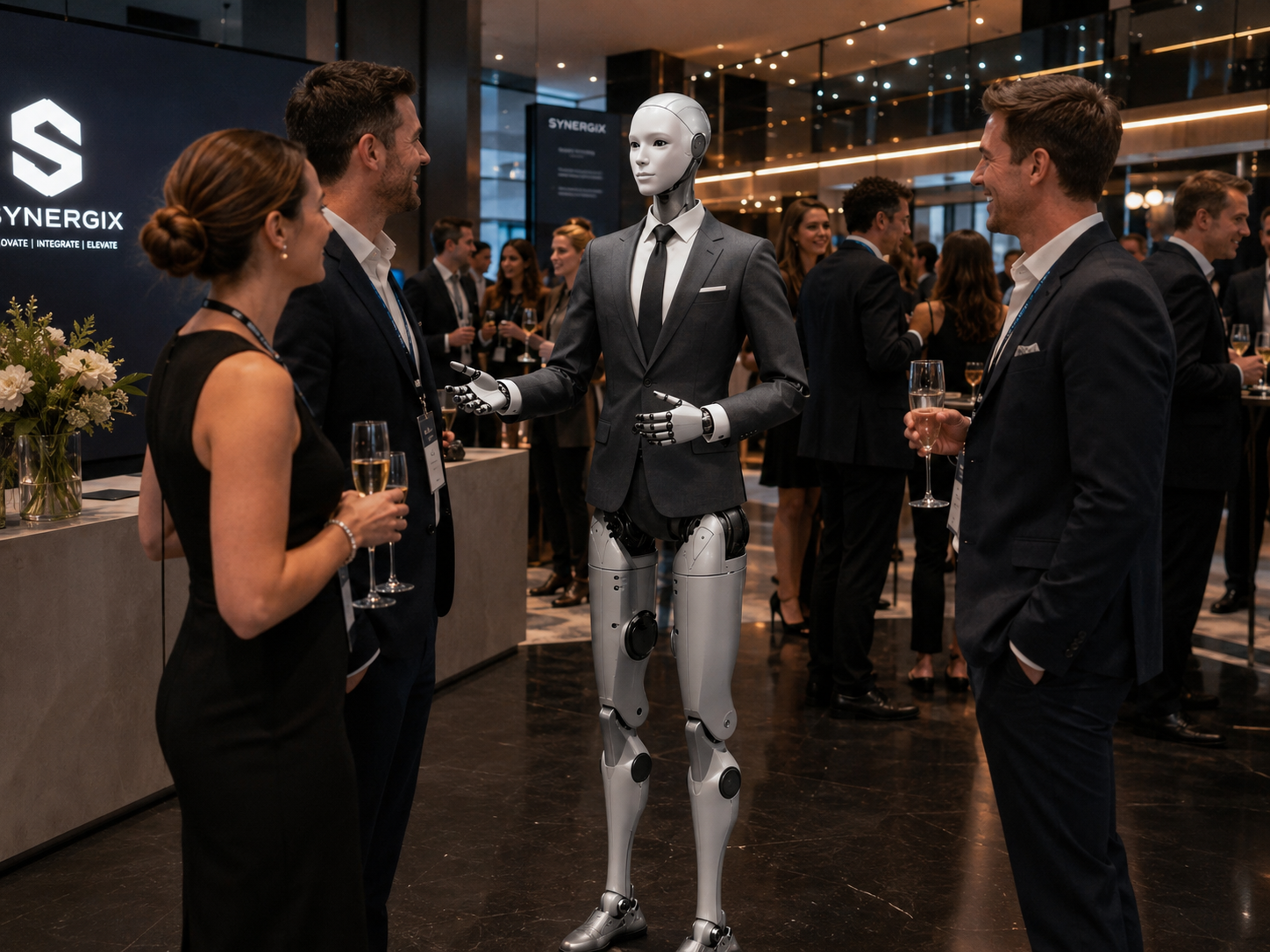
Long before the keynote begins, attendees are already forming an opinion about the event.
They may arrive wondering which entrance to use, which line to join, whether their registration was confirmed, or where to collect their badge. When the arrival process is unclear, frustration begins immediately. The Event Check-In Assistant gives guests a visible, approachable first point of contact — reducing confusion, answering repeatable questions, and helping human event staff focus on exceptions and higher-value service.
Six clear actions across the arrival experience.
Each deployment is customized around the event, venue, registration system, audience, schedule, safety requirements, and desired experience.
Greet every attendee with clarity.
The robot greets guests as they enter the venue or approach the registration area — adapting to the event name, audience, time of day, ticket type, preferred language, and level of formality.
"Good evening and welcome to the Canadian Innovation Summit. Registration is directly ahead. Are you already registered, or do you need assistance finding the correct check-in area?"
Make the registration process immediately clear.
Different events use different arrival procedures. The robot explains which line to use, whether identification is required, how to retrieve a badge, where to scan a ticket, what to do if a ticket is missing, where on-site registration is available, and where VIPs and media should go.
Route every attendee type to the right station.
Large events often have several arrival journeys. The robot helps distinguish between general admission, VIP, speakers, exhibitors, sponsors, media, volunteers, and staff — reducing incorrect lineups and preventing staff from answering the same directional questions repeatedly.
"Speaker check-in is at the desk on the right. General attendee registration is directly ahead. Media accreditation is at the information counter."
Support attendees with badge and ticket issues.
The robot helps attendees understand what to do if their QR code won't load, their badge didn't print, their name is misspelled, or their registration cannot be found. When verification or access judgment is needed, it guides the guest toward a human registration representative.
"You may be able to search for the email using the event name. If it is still unavailable, the support desk on the left can verify your registration using your name and identification."
Connect guests with human staff when it matters.
The Event Check-In Assistant understands when it has reached the limits of its role. It can direct guests to registration personnel, event management, security, accessibility support, technical support, speaker relations, and medical assistance — making the handoff clear and complete.
"Your registration requires manual verification. Please speak with the team member at the support desk, and they will review it with you."
Answer event questions while attendees wait.
Configured with approved event information: schedules, room assignments, speaker details, breakout locations, food and beverage areas, Wi-Fi instructions, coat-check availability, transportation, and accessibility guidance.
"The opening keynote is in the Grand Hall on Level 2. The escalators are directly behind registration. The session begins at 9:00."
Event teams often spend arrival time answering predictable questions.
The robot handles the repeatable first layer, so human staff can focus on the situations where genuine judgment is required.
The robot handles
Human staff remain essential for
From arrival to registration in a few clear steps.
A clear, fast arrival interaction that handles an edge case correctly and ends with a confident direction to the main hall.
Attendee enters the venue
The guest sees several registration stations and is unsure which to use.
Robot welcomes them
Attendee responds
Robot provides the next step
Attendee cannot find the QR code
Robot explains the approved alternative
Check-in completed
The attendee prints the badge and returns with another question.
Robot provides directions
A fast, clear arrival without the robot making an access decision.
Every guest type has a different journey.
Attendee arrival flow
Robot welcomes the guest and confirms registration type
Directs to correct check-in line or scanner
Explains QR code or identification requirements
Provides badge collection instructions
Answers schedule and wayfinding questions
Refers to support desk if registration issue arises
The robot is only useful when its information is accurate.
Event information falls into three categories — each handled with a different level of care and verification.
Stable event information
Reliable for immediate answer. Rarely changes during the event.
Frequently changing information
Requires an approved update source or event-operator workflow to stay accurate.
Restricted information
Must only be accessed through authorized systems and appropriate authentication.
Six positions. One consistent arrival experience.
The same robot may be configured differently across the event — from entrance welcome to post-registration information to VIP hosting.
Entrance Welcome Assistant
Positioned at the main entrance to welcome guests and confirm they are in the right location.
Registration Line Guide
Positioned before registration stations to help attendees choose the correct line.
Self-Service Check-In Guide
Positioned beside scanners, tablets, kiosks, or badge printers to guide the process.
Conference Information Assistant
Positioned after registration to answer questions about schedules, rooms, and venue services.
VIP Arrival Host
Provides a discreet premium welcome and directs approved guests toward a dedicated reception area.
Event Flow Assistant
Shifts between arrival functions during different phases: morning registration, midday wayfinding, afternoon exhibitor info, evening reception hosting.
Start informational. Integrate deliberately.
The robot can begin with no direct access to attendee records and evolve toward selected integrations. The robot should never become the only way to enter an event — an alternative human and accessible process must always remain available.
Information and direction
The robot explains the process and directs attendees toward existing systems and staff. No access to attendee records.
Registration guidance
The robot helps attendees navigate the self-service process and provides event-specific assistance.
System status awareness
The robot may receive approved information such as whether a scan succeeded, whether a badge printed, or whether human assistance is required.
Authenticated registration workflows
Selected check-in functions integrated where privacy, cybersecurity, identity verification, permissions, and reliability have been addressed.
Event registration involves personal information. Handle it conservatively.
Event registration may involve name, email, organization, ticket category, dietary needs, accessibility requirements, and payment status. The Event Check-In Assistant must operate with strict privacy boundaries.
Where possible, attendees should enter or scan information directly through an approved interface rather than speaking sensitive details aloud in a crowded entrance.
Privacy principles
The robot should make the entrance more accessible — not add another obstacle.
Guests should always be able to bypass the humanoid and receive assistance another way. The robot should not become a barrier to entry.
Event entrances can become crowded quickly.
Lineups, luggage, strollers, mobility devices, temporary flooring, cables, and sudden crowd surges are all part of a live event environment. A stationary robot positioned strategically before the registration area may create more value than one attempting to move through a crowd.
Understand how attendees experienced the arrival.
Subject to the approved privacy framework, HumanoidX may provide anonymous operational insights. These can reveal opportunities beyond the robot — for example, if many attendees cannot find their QR code, the event's confirmation emails may need improvement.
Example arrival insights
Peak arrival periods
When crowds were largest and the robot was most active
Common registration questions
QR-code issues, badge questions, missing confirmations
Preferred languages
English, French, and other language request frequency
Support-desk referrals
Volume and category of human escalations
Most requested destinations
Main hall, breakout rooms, coat check, washrooms
System uptime
Robot availability during the event and technical performance
From event review to post-event reporting.
HumanoidX provides a managed deployment rather than delivering a robot and leaving the event team to independently solve the programming, safety, support, and operational challenges.
Understand the event
Review the dates, venue, audience, attendance, registration system, ticket categories, schedule, and event objectives.
Map the arrival experience
Examine how guests enter, where they register, where confusion occurs, and where human staff are most needed.
Define the robot's role
Determine what the humanoid should explain, what it should not access, where it should operate, and when it should escalate.
Prepare attendee journeys
Create approved flows for general admission, VIPs, speakers, exhibitors, media, vendors, and other groups.
Configure event knowledge
The organizer supplies or validates schedules, maps, registration procedures, venue information, and frequently asked questions.
Assess integrations
Determine whether the robot will remain informational or connect with scanners, registration systems, badge printers, or notification tools.
Test realistic arrival scenarios
Test with missing QR codes, unrecognized registrations, wrong ticket lines, late arrivals, language changes, accessibility requests, and VIP arrivals.
Deploy and operate
HumanoidX delivers, configures, supervises, and supports the robot during the agreed event period.
Review results
Summarize recurring questions, arrival bottlenecks, system performance, attendee response, and recommended improvements for the next event.
Five focused starting points.
Each deployment is scoped around a specific event type and measurable objective — making it straightforward to evaluate value and plan the next event.